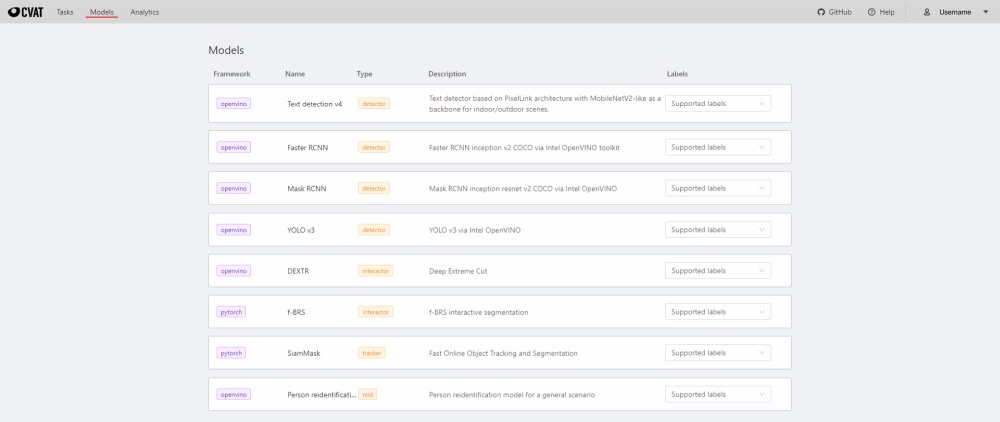
Models
The Models page contains a list of AI models deployed for semi-automatic and automatic annotation. To deploy models, you will need to install the necessary components using Semi-automatic and Automatic Annotation guide. Consult AI models for more information on sources of models and ways of adding them.
To open the Models page, click the Models button on the navigation bar. The list of models is presented in the form of a table. The parameters indicated for each model are the following:
Frameworkthe model is based on- model
Name - model
Type:detector- used for automatic annotation (available in detectors and automatic annotation)interactor- used for semi-automatic shape annotation (available in interactors)tracker- used for semi-automatic track annotation (available in trackers)reid- used to combine individual objects into a track (available in automatic annotation)
Description- brief description of the modelLabels- list of the supported labels (only for the models of thedetectorstype)