Menu and Navigation Bar
The Audio Editor top bar contains job actions, save and undo controls, and audio playback navigation.
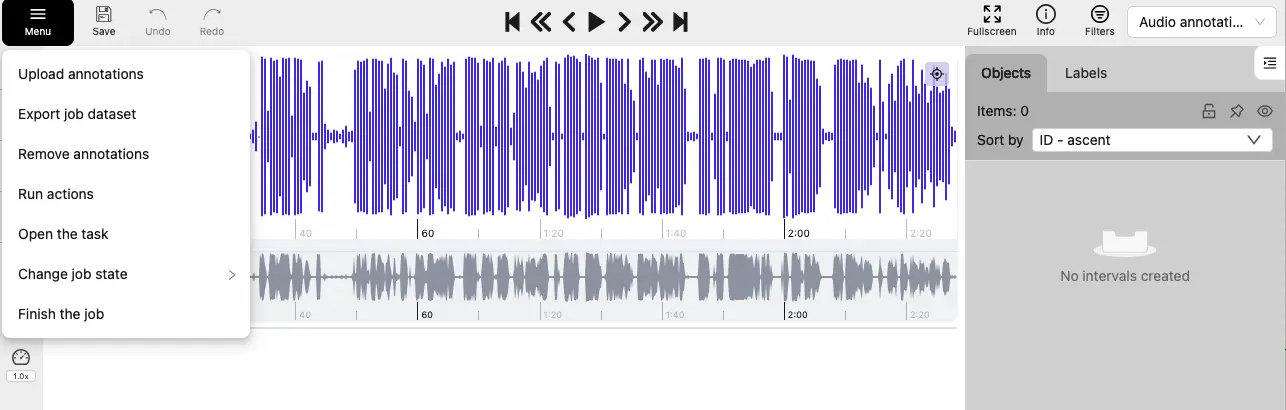
Menu
Open the Menu to manage the current job:
| Item | Description |
|---|---|
| Upload annotations | Imports interval annotations into the job. Audio tasks use the Generic TSV 1.0 format. |
| Export job dataset | Exports interval annotations. |
| Remove annotations | Removes all intervals, or only the intervals in a selected time range. The removal is saved only after you save the job. 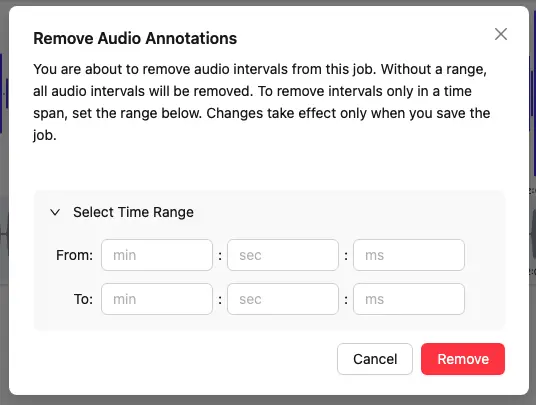 |
| Run actions | Annotation actions are currently not available for audio jobs. |
| Open the task | Opens the task details page. |
| Change job state | Changes the job state to New, In Progress, Rejected, or Completed. |
| Finish the job | Saves the annotations and sets the job state to Completed. |
Save, undo, and redo
| Button | Description |
|---|---|
Save |
Submits unsaved interval changes to the server. Default shortcuts: Ctrl+S ⌘+S |
Undo |
Reverses the latest interval creation, deletion, or edit in the current session. Default shortcuts: Ctrl+Z ⌘+Z |
Redo |
Restores the most recently undone interval change. Default shortcuts: Ctrl+Shift+Z Ctrl+Y ⌘+Shift+Z |
Playback navigation
Use the player controls to play or pause the audio and move the playhead:
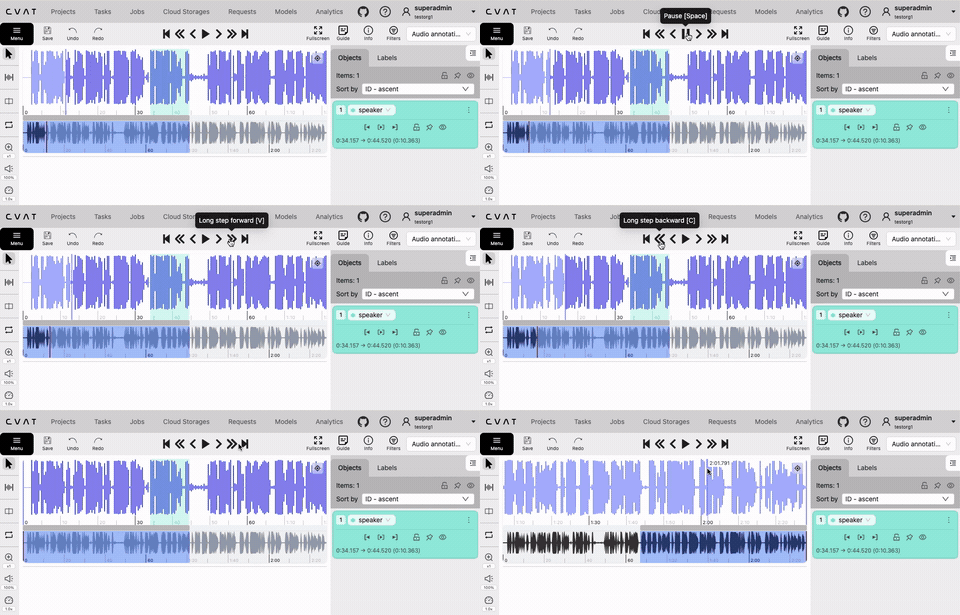
| Button | Description |
|---|---|
Jump to start |
Moves the playhead to the beginning of the recording. |
Long step backward |
Moves the playhead backward by 5% of the currently visible waveform. Default shortcut: C. |
Short step backward |
Moves the playhead backward by 0.5% of the currently visible waveform. Default shortcut: D. |
Play/Pause |
Starts or pauses playback. Default shortcut: Space. |
Short step forward |
Moves the playhead forward by 0.5% of the currently visible waveform. Default shortcut: F. |
Long step forward |
Moves the playhead forward by 5% of the currently visible waveform. Default shortcut: V. |
Jump to end |
Moves the playhead to the end of the recording. |
Note
The step sizes are fixed and cannot be configured. The displayed shortcuts are configurable.Job information and Annotation Mode
| Control | Description |
|---|---|
Fullscreen |
Toggles fullscreen mode for the Audio Editor. |
Guide |
Opens the task guide when one is configured. |
Info |
Opens job statistics, including the total audio duration, region count, and per-label region counts, duration, and coverage.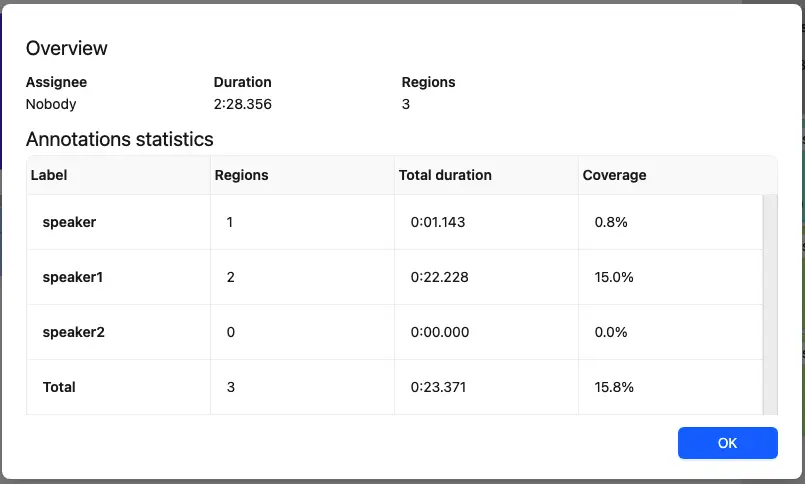 |
Filters |
Restricts the intervals shown in the sidebar and waveform. See Filters. |
Annotation mode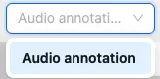 |
The drop-down list to switch between different annotation modes: Audio annotation is currently the only available annotation mode for audio jobs. |